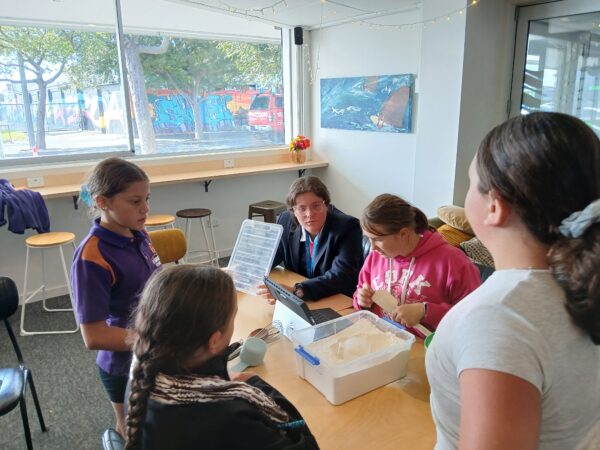

Make Bake Create is an exciting new club combining our popular Craft Club and Kitchen Klub! Each Thursday afternoon includes either a crafting or baking activity, while chilling out with friends and our leaders.
Latest Updates
2 Oct 2026
Term 4 bookings are LIVE and we have some sweet activities planned including Pony Bead Keychains, Cupcakes & a Pizza Challenge (activities subject to change, depending on team availability and building use). Sign up to Term 4 now at AimyOne!
- Log-in: https://aimyone.com/yat using your normal Aimyplus email and password. If you’ve forgotten your password, please re-set it. Do not create a new account. If you’re NEW to YAT – Create a New Account.
- Click on Blue ‘Book Now’ button.
- Choose the programme you want to book
- Select the child you want to book, then add to cart.
- Go to Checkout and confirm.
- Payment:
Pay with EzyPay – Visa or Mastercard (fees apply) – for immediate confirmation.
Pay via Bank Transfer (no fees) – please reference ‘MBC’ and ‘Childs Name’
Any questions, message us at: rego@yat.org.nz

1 Jul 2026
We have some sweet plans for Make Bake Create Club next term. Click on the ‘Download our latest brochure’ button to view the pdf of our term plan, including activities such as baking cinnamon rolls, Afghan biscuits, Fidget making and nail art! Make your booking now at: https://aimyone.com/yat
2 Apr 2026
What an awesome start to the year! We’ve had a lot of fun in Term 1, and now Term 2 Bookings are LIVE with a terms focus on Clay Sculpting, and also some cooking in in-between including pizza’s and snickerdoodle cookies!. Starting Thursday 23rd April – we’re running for 11 weeks – same times, same leaders – we’d love to see you again!
BUT we have a new booking system, so follow these instructions to make a booking:
**NEW Booking Process**
- Log-in: https://aimyone.com/yat using your normal Aimyplus email and password. If you’ve forgotten your password, please re-set it. Do not create a new account. (Contact us if you can’t log in).
- You will need to confirm all your childs details if it’s your first time logging in. It will take a couple of minutes, but you’ll only need to do it once, and you can’t make a booking until you’ve confirmed the details.
- Click on Blue ‘Book Now’ button.
- Choose the programme you want to book, under either a Club or Oscar, including any specific days for Oscar or Holiday Programmes.
- Select the child you want to book, then add to cart.
- Add any further bookings or go to Checkout.
- Payment:
- Pay with EzyPay – Visa or Mastercard (fees apply) – for immediate confirmation.
- Pay via Bank Transfer (no fees) – please reference ‘HP’ and ‘Your Name’ – we won’t confirm booking until payment is made
- Choose WINZ subsidy – it will sit in pending until we’ve seen your paperwork.
- The new system allows you to edit your own bookings, to change days or add extension days. You cannot cancel bookings yourself, to cancel a day, please give 24 hours notice and we will reimburse payment minus 15% admin fee as per our terms and conditions.
Any questions, flick us an email: rego@yat.org.nz